Media offload for WordPress
Your Media Library, stowed in your own S3 bucket.
Stowaway copies your uploads to Amazon S3 and serves them through CloudFront. Your server stops serving images, pages load media from close to each visitor, and nothing about how you use the Media Library changes.

What it does
One job, for one cloud, done properly.
Stowaway is for Amazon S3 and CloudFront and nothing else. That focus is why it can be small, fast, and free in full.
-
Offloads every upload
The original and every size WordPress makes of it go to your bucket as soon as they are uploaded. Edited and regenerated images go up too.
-
Serves media from CloudFront
Attachment URLs, responsive srcset images, images in post content and shortcodes, and Yoast SEO’s share images and schema.
-
Whole-page mode
For themes and page builders that print images outside the post content, such as Divi’s background images.
-
Offloads your existing library
In the background of one admin page, with a progress bar. Or from the command line with
wp stowaway offload --all. -
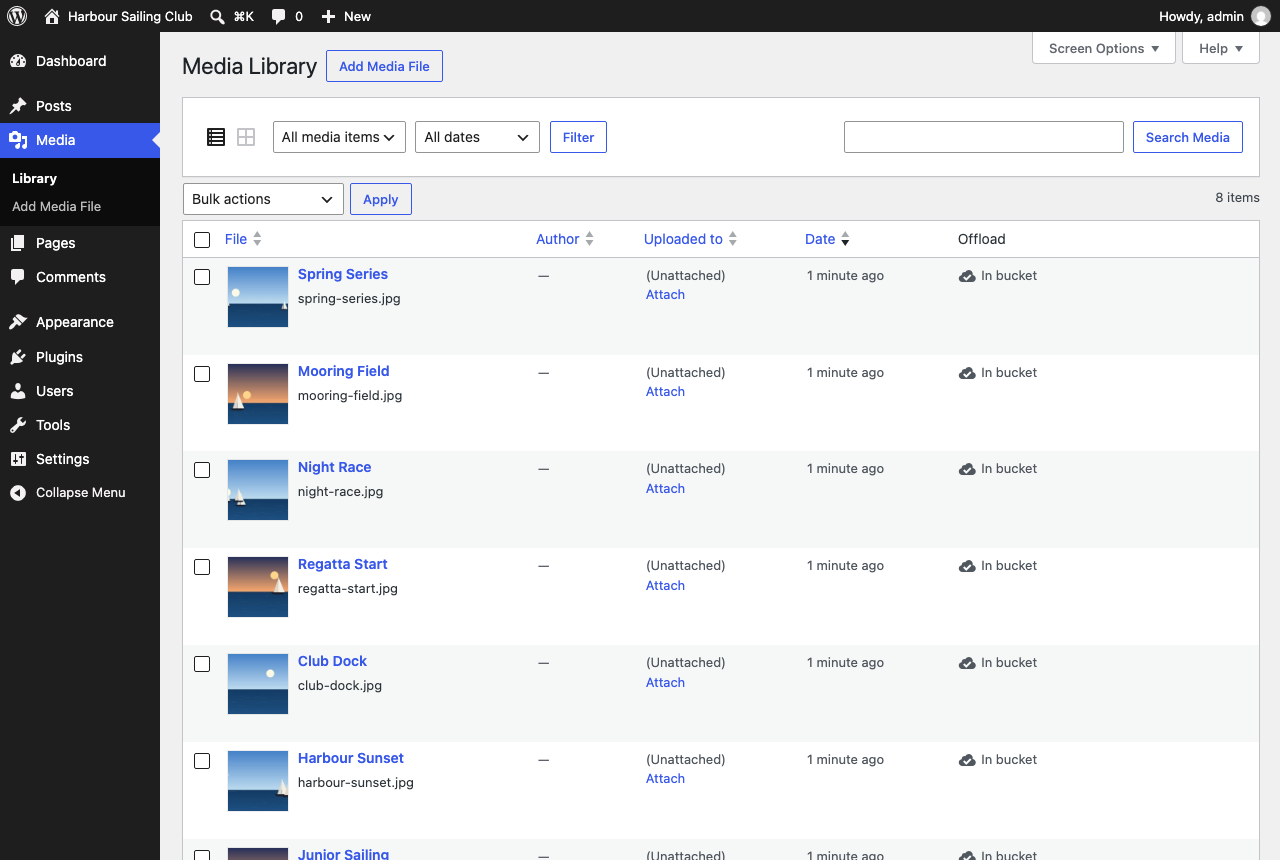
Status in the Media Library
Each file shows whether it is in the bucket, with an “Offload now” link and an “Offload to S3” bulk action.
-
Cleans up after itself
Deleting a file from the Media Library deletes it from the bucket too.
-
Keeps your database clean
Posts keep their local media URLs. Turn delivery off, or remove the plugin, and no page breaks.
-
Keeps local copies
Your files stay on your server as well as in the bucket: a safety net, not a migration you can’t undo.
How it works
Upload as usual. Stowaway handles the rest.
Nothing changes for the people who write your posts. Stowaway works on both ends: it puts each file in the bucket, then makes sure the page points at the copy there.
-
You
Upload to the Media Library
WordPress saves the file and makes its thumbnail and responsive sizes, the way it always has.
-
Stowaway
Copies it to S3
The original and every size go to your bucket, signed with your keys. Nothing passes through anyone else.
-
Amazon CloudFront
Delivers it worldwide
Your distribution serves the files from edge locations, and the bucket can stay private.
-
Your visitors
Load it from nearby
As each page is served, its media URLs point at CloudFront. Your server serves only the page itself.
URLs are rewritten as each page is served, never saved into your posts. That timestamped folder makes every upload’s URL unique, so files can be cached for a year and a replaced image never shows its old self.
Setup
A wizard, three steps, and a test that proves it.
-
Access keys
Step-by-step instructions for an AWS user just for your site, with the exact permissions to paste in. Keys are checked with AWS before they are saved, and can live in
wp-config.phpinstead of the database. -
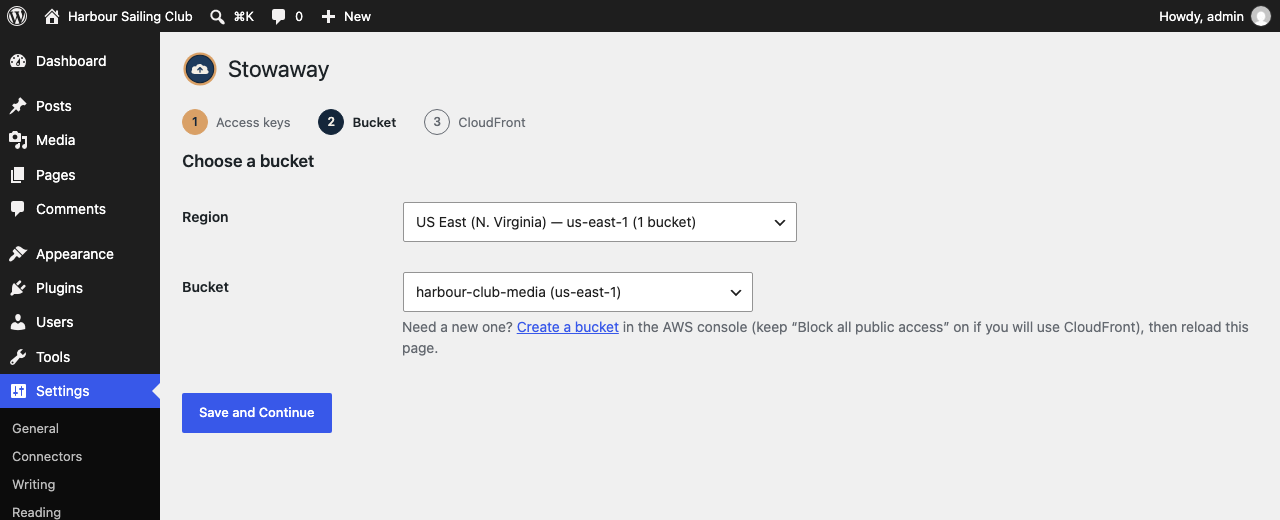
Bucket
Pick the region and bucket from dropdowns filled in from your AWS account. Stowaway confirms the bucket’s real region for you.
-
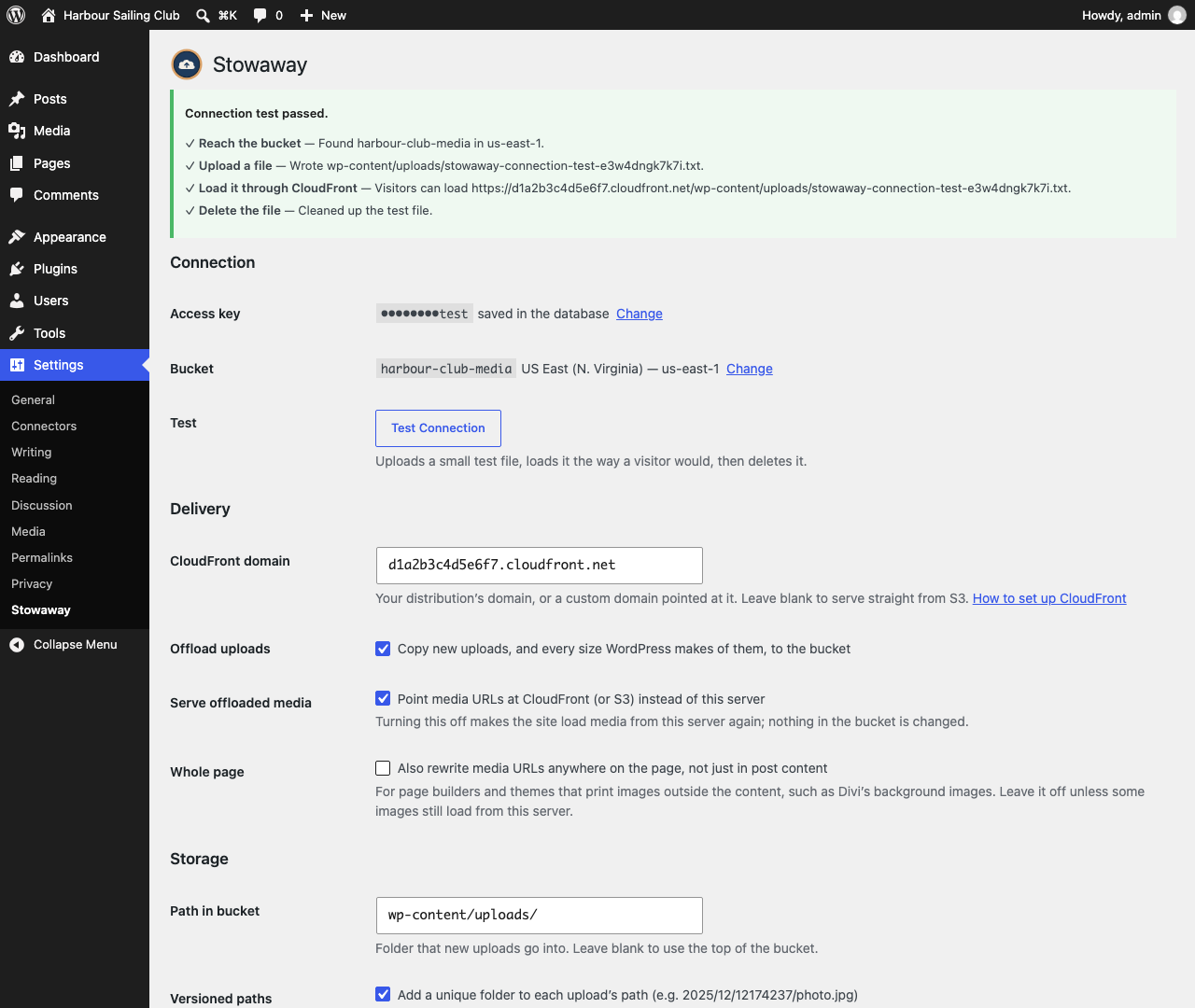
CloudFront
Paste your distribution’s domain, or skip it and serve straight from S3. Then a connection test uploads a file, loads it as a visitor would, and deletes it.
Coming from WP Offload Media?
Switch without uploading anything again.
Stowaway reads the settings and offload records WP Offload Media (Lite
or Pro) left in your database. Media you offloaded with it keeps its
exact URLs, so caches, page builders and old links see no change. It
even uses the access keys already in your wp-config.php
until you replace them.
Pricing
Free. All of it.
- No Pro version and no feature held back for one.
- No license key to renew, and nothing that stops working when one lapses.
- No middleman. Your media goes to your bucket, on your AWS bill.
- No tracking. Stowaway sends nothing to us.
Questions
The ones people ask first.
Do I need CloudFront?
No. Without it, media is served straight from S3, which only works if the bucket allows public reads. With CloudFront the bucket can stay private, and visitors get media from a server near them. The wizard lets you skip it and add it later.
What does it cost?
Stowaway costs nothing. There is no Pro version, no license key, and no paid tier. You pay Amazon for the storage and bandwidth you use, at AWS’s usual rates, on your own AWS account.
What happens if I deactivate or delete it?
Your site goes back to serving media from your own server. Posts store local media URLs the whole time, so nothing needs fixing. Files in the bucket are left alone.
Does it work with other storage providers?
No, on purpose. Stowaway is for Amazon S3 and CloudFront only, and does that one thing well instead of supporting every provider a little.
Does it send anything to you?
No. Stowaway talks to AWS, with your keys, and nothing else. It has no tracking, no analytics and no “phone home”.
More in the documentation.
Stuck, or found a bug?
Ask the people who make Stowaway. You will get an answer from a person.