
What a CDN actually does for a WordPress site
A CDN keeps copies of your images and files near your visitors so your server stops serving them. What that changes on a WordPress site, who can skip it, and where to start.
The short version
Most of the bytes on a WordPress page are images. Your server sends every one of them, to every visitor, from wherever the server happens to be. A CDN keeps copies of those files on machines near the visitor, so the server stops doing that work and the files arrive sooner.
That's the whole idea. The rest of this note is what it changes in practice, why so many sites skip it, and when skipping it is fine.
What a CDN is
A CDN (content delivery network) is a set of servers spread around the world that hold copies of your files. When someone in Lisbon opens your page, the images come from a server in Lisbon, or close to it, instead of from your host in Virginia.
Two things happen at once. The file travels a shorter distance, so it arrives sooner. And your own server never sees the request, so it has less to do.
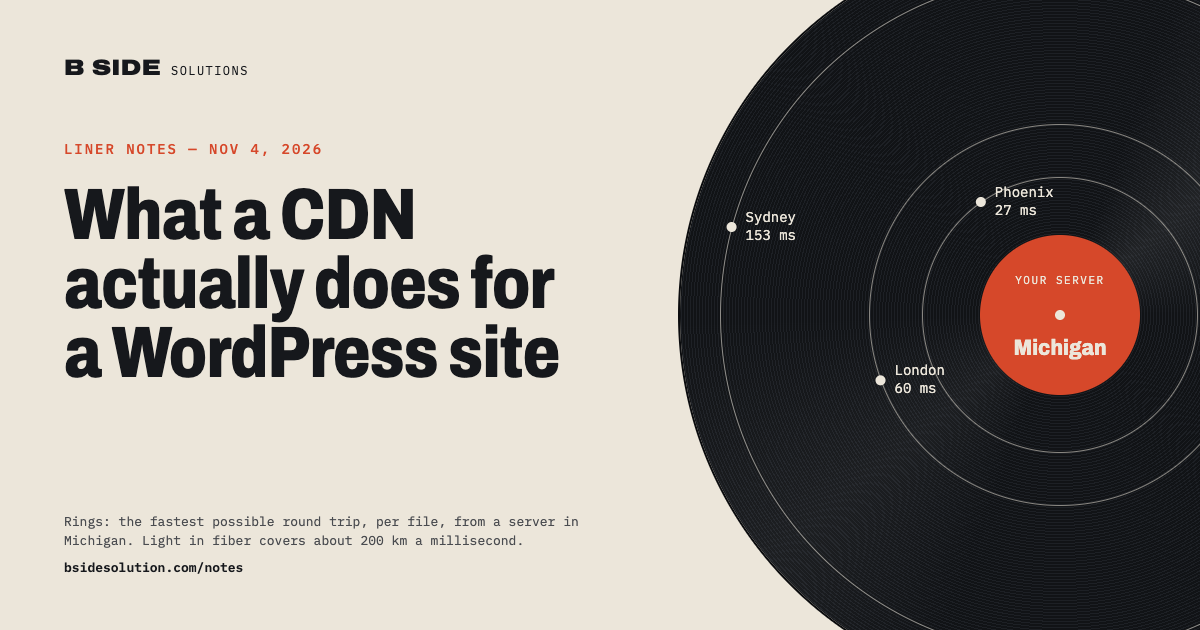
Distance matters more than people expect. Light in a fiber cable covers about 200 km per millisecond, and a page pulls dozens of files, each needing a round trip or two. A visitor 7,000 km from your server waits for that trip on every image, however fast the server itself is. No amount of hosting money fixes geography. A CDN does.
A CDN is not the same as a page cache. A page cache (WP Rocket, LiteSpeed Cache, your host's built-in one) saves a finished copy of the HTML so WordPress doesn't rebuild it for every visitor. That copy still comes from your server, and so do the images it points at. The two solve different problems and work well together.
Why most WordPress sites don't use one
Not because they don't need it. The reasons we hear are more ordinary than that.
- Nobody told them. A site gets built, it loads fine on the builder's laptop two towns over, and the question never comes up. Some hosts include a CDN and some don't, and the hosting page rarely says which in plain words.
- It looks like infrastructure. Buckets, distributions, access keys, policies. The words alone are enough to push it to "later."
- They think they already have one. A caching plugin shows a green checkmark and the site feels faster, so the job seems done. See above: that's the page, not the files.
- They're afraid of breaking URLs. Every image on the site has an address. Moving them somewhere else sounds like the kind of change that leaves broken pictures in old posts and search results.
- The bill is unknowable. AWS pricing pages don't help. In practice a small site's storage and delivery usually costs less than a cup of coffee a month, but you can't tell that from the calculator.
- Lock-in. Once your media lives somewhere else, what happens if you want it back?
Every one of these is a setup problem, not a reason the idea is wrong. The last two are design problems for whoever writes the plugin, and they're solvable: keep the original URLs working, and make bringing the files home a button.
Are CDNs still necessary?
Sometimes no. Hosting got faster, HTTP/2 lets a browser pull many files over one connection, and a modest brochure site with a local audience on a good host may not show a measurable difference. If your visitors are mostly within a few hundred miles of your server and your pages are light, you can skip it and nothing bad happens.
Three things haven't changed, though.
- Images are still most of the page. A typical WordPress page is well over half images by weight, and the Media Library keeps growing. Every one of those bytes either comes from your server or doesn't.
- Your audience is wherever it is. A site in Michigan with readers in Phoenix, London and Sydney is paying the distance tax on every one of them, every visit.
- Shared hosting still falls over. The day a post gets picked up and traffic jumps tenfold is the day you find out how much headroom your server had. A CDN absorbs that spike because the server was never serving the heavy files in the first place.
For video there's no real debate. A single MP4 can outweigh everything else on the site put together, and a web server is the wrong tool for streaming it. That's a separate note, but the short answer is: never serve video from WordPress itself.
Everything a CDN changes on a WordPress site
Speed is the one people expect. It's about a third of the list.
What the visitor notices
- Images arrive sooner. Shorter distance, fewer hops, and the CDN already has the file in memory. The largest image on the page (usually the one Google measures as LCP) is the one that benefits most.
- Core Web Vitals improve. LCP is mostly about how fast the biggest thing above the fold shows up. On most pages that's an image, and where it's served from is the biggest lever you have that doesn't involve redesigning the page.
- The site holds up under a spike. Shares, newsletters, a mention somewhere: traffic that would have made a shared server crawl is mostly absorbed by the CDN, because the server was only ever sending the HTML.
What the server notices
- Less CPU and bandwidth. Every image request the CDN answers is one your server doesn't. On a busy site that's the majority of requests.
- A smaller hosting plan holds up. The server is doing less, so you need less of it. Sometimes that pays for the CDN several times over.
- The disk stops filling up. The Media Library is usually the thing that fills a hosting account. With the files in a bucket, it doesn't.
What you notice later
- Backups shrink. A WordPress backup without 8 GB of images is a quick download instead of a chore. The bucket has its own versioning and lifecycle rules.
- Moving hosts gets easy. If the media isn't on the server, moving the site is the database and a few folders. The images don't move at all.
- Media outlives the server. A hosting account that gets suspended, hacked or wiped doesn't take ten years of images with it.
- TLS and compression at the edge. The CDN terminates HTTPS and serves compressed files from near the visitor. One less thing for the origin to do.
What it won't fix
A CDN moves files. It does nothing for the time WordPress spends building the page: slow database queries, a theme that loads forty scripts, a plugin that calls an outside API on every load. If your page takes two seconds before the first byte arrives, the images were never the problem, and you want a page cache and a look at the plugin list before you want a CDN.
A quick way to tell: open the page in Chrome, press F12, open the Network tab and reload. If the first row (the HTML) is slow, fix the server. If the HTML is quick and the rows below it are what take the time, a CDN is the fix.
Where to start
If your host already includes a CDN, turn it on. That's the easy case, and you may be done.
If it doesn't, or you want your media somewhere you control, put the Media Library on your own S3 bucket with CloudFront in front of it. We wrote Stowaway to do exactly that. It's free, with no Pro version. It copies every upload to your bucket, serves it through CloudFront, keeps your original URLs working, and brings everything home with one button if you ever change your mind. The setup wizard starts from an empty AWS account.
Video is the one kind of media a bucket and a CDN don't fully solve on their own, because streaming needs more than file delivery. For that we built Stillhaven, which handles the encoding and the delivery and gives you an embed. Either way, the rule is the same: the heavy files leave the server, and the server goes back to serving pages.